

Your cart is currently empty!


January 12, 2026
Cart Split Explained: Separate Orders with using a Unified Checkout
Cart Split — How it works in WP Global Cart for Single Site
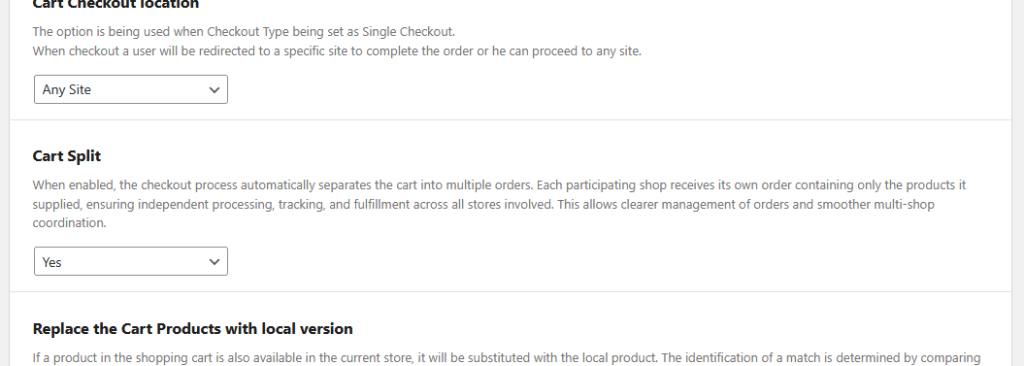
The new Cart Split option lets you keep the convenience of a single, unified checkout while automatically creating individual orders for every store that has products in the cart. When Cart Split = Yes, the checkout completes as a single customer flow but the system generates separate orders per shop, each containing only the products that belong to that shop.
What happens during checkout
At checkout the plugin still collects customer details and payment through the designated checkout location, but — immediately after order creation — it splits the master transaction into discrete orders sent to each origin shop.
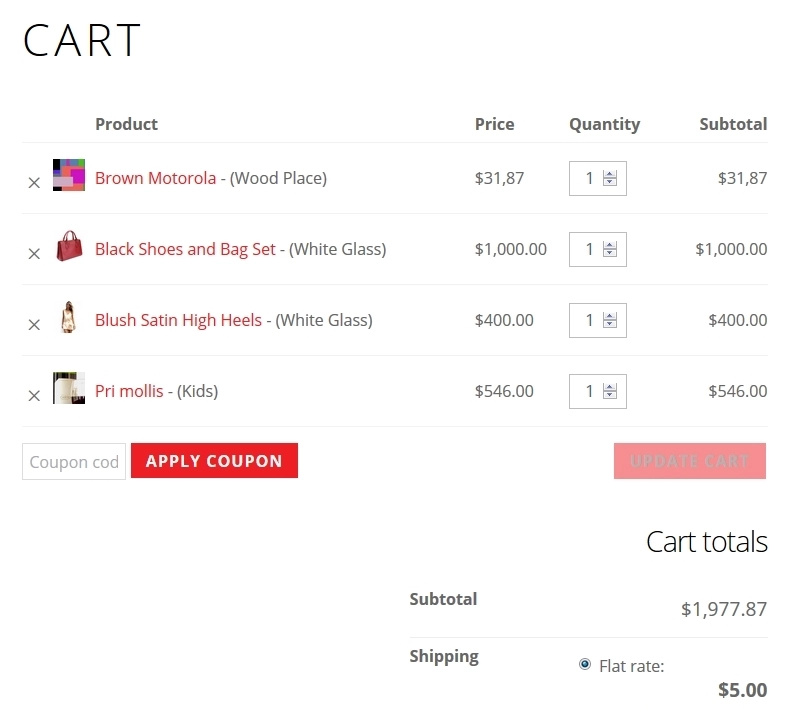
Each resulting order is independent: it has its own order number (tagged for easy cross-reference with the master order), its own line items (only that shop’s products), and can be processed, tracked, and fulfilled separately by the shop owner. This mirrors marketplace-style order splitting while preserving a single checkout UX for customers.
Admin controls and behaviour
Cart Split is available as a toggle in the plugin’s checkout settings (enable to split, disable to create a single combined order). When enabled, admin interfaces annotate split orders with the originating checkout shop and the master order ID so administrators can trace which split orders belong together. The Single Site edition maintains the same global-cart and checkout behaviour you already use, but adds this per-shop order distribution to simplify multi-store operations inside a single WordPress site.
Notifications, emails and visibility
Each origin shop receives its own order and standard WooCommerce workflows (order emails, stock adjustments, shipping calculations) apply per split order. If you prefer, the checkout (master) order can be hidden on the checkout store and only show the split orders to reduce confusion — this is controllable via plugin hooks or a small custom snippet. We recommend reviewing email templates and payment gateway settings to ensure notifications look correct for split orders.
Why use Cart Split
- Improves clarity for shop managers: each store sees only the orders it needs to fulfill.
- Simplifies inventory and shipping handling: stock reductions and shipping calculations are applied per origin shop.
- Better accounting and reporting: revenue and transaction records are stored per shop, easing reconciliation.
Recommendations & edge cases
Test split flows thoroughly with your active payment gateway(s) and email templates. Note that payment collection still occurs at the configured checkout location, so confirm your gateway supports the expected setup. If you need to hide the master checkout order or customize which fields are passed into split orders, the plugin exposes hooks for developers to adapt behaviour